Tag Archives: Technology

New Printers

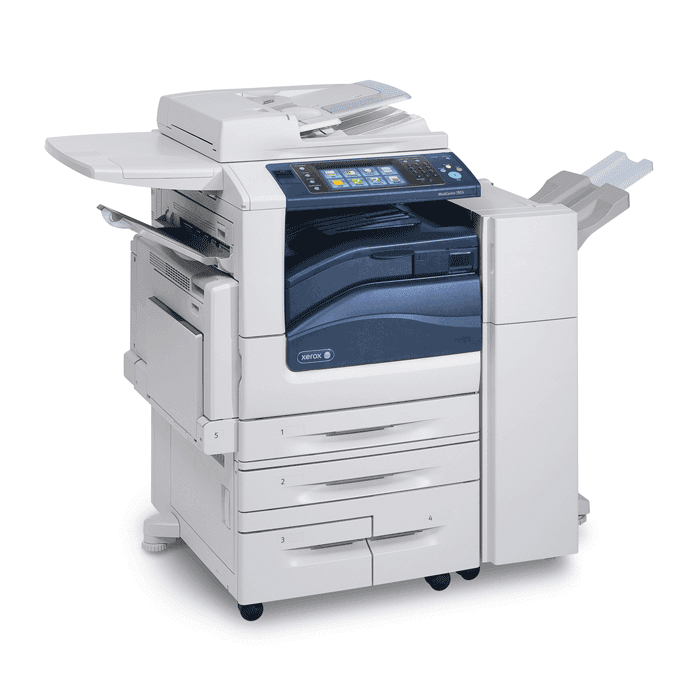
Ivy Tech Northeast has new printers around campus and that includes the Library. The Library has four new printers, each of which is also a photocopier, and even a scanner. When you print a document, you may choose a specific printer where you can get your printout.

Alternatively, you may select one of the “secure  release” options and then go to any printer on campus, log in, and release your printout.

The printer setup is still new, so we recommend that you ask a Library staff member for help the first time you print something.

Introducing the Library Catalog Kiosk!

The Ivy Tech Northeast Library is happy to announce that we now have a Library Catalog Kiosk. You can now browse the library catalog without having to log into a computer terminal. With an easy touch screen interface, this device makes it easier than ever to find what you need on the fly. Best of all, it’s located right alongside a majority of our collection allowing easy access to both the shelves and the library catalog. If you are new to navigating our catalog system, any of the library employees will be happy to assist you in how to search the catalog, and how to get the most useful results when doing so.

Internet Security 101 DVD

A must see for all parents! The Internet Safety 101℠ Program from Enough Is Enough℠ is a multimedia teaching series that paints a comprehensive picture of online dangers and safety solutions, led by renowned Internet safety expert and Enough Is Enough℠ President Donna Rice Hughes. Internet Safety 101℠ is an invaluable and practical resource for parents, educators and other caring adults who may be uninformed, overwhelmed or ill-equipped to protect children in the ever-evolving Internet world. Internet Safety 101℠ covers the safety basics you need to know to become educated, equipped and empowered to protect children from pornography, sexual predators, and cyberbullies, as well as how to keep kids safe on social networking sites, gaming and mobile devices. Filled with poignant true stories and essential strategies to counter these dangers, you will gain information, skills, and confidence to effectively protect children on all Internet-enabled devices.

Call number: 101 HQ 784 .I58 E668 2009

Library Creative Commons

What do you know about Library’s Creative Commons? We have dedicated PC’s loaded with specialized software not available on normal students computers. This includes software titles such as AutoCAD, Solidworks, Business Plan Pro. Creative Commons environment is conducive to individual study or collaboration.

Also available in Creative Commons is a TV stations a DVD/VHS player.

What is coming soon to Library’s Creative Commons? We plan on adding a MAC computer, Adobe Creative Cloud (Image/Video editing capability), computer stations with webcams for webinars and web-based interviews, other software as needed or identified.
Here is an A-Z list of software titles available in the Creative Commons:


·         SOLIDWORKS 2015 Education Edition
o   eDrawings 2015 x64 Edition
o   SOLIDWORKS 2015 x64 Edition
o   SOLIDWORKS Composer 2015
o   SOLIDWORKS Tools
·         Autodesk
o   Autodesk Design Review 2013
o   Alias Design 2015
o   AutoCAD 2015
o   AutoCAD Architecture 2015
o   AutoCAD Electrical 2015
o   AutoCAD Mechanical 2015
o   AutoCAD Raster Design 2015
o   AutoCAD Structural Detailing 2015
o   AutoCAD Utility Design 2015
o   Autodesk 3ds Max Design 2015
o   Autodesk AutoCAD Civil 3D 2015
o   Autodesk Backburner 2015
o   Autodesk Data Management
o   Autodesk Factory Design Utilities 2015
o   Autodesk Inventor 2015
o   Autodesk Mechanical Simulation Job Manager
o   Autodesk Mudbox 2015
o   Autodesk Recap
o   Autodesk Showcase 2015
o   Autodesk Simulation Mechanical 2015
o   Autodesk Simulation Mudflow Advisor 2015
o   Autodesk Sketchbook Designer 2014
o   DWG TrueView 2015
o   Revit 2015
o   Simulation CFD 2015
o   Subassembly Composer 2015

Business Plan Pro

New Digital Collaboration Room!

Now available in the Library is our Digitally Equipped Collaboration Room – the only space of this kind that is available to ALL Ivy Tech Northeast students. The Digitally Equipped Collaboration Room offers you a private collaborative space with computer access and a large TV Display. You can now work on team projects with your classmates, create Power Point Presentations, edit Word documents, stream YouTube and IvyVilos videos, create Prezis, you name it! The possibilities are truly unlimited! Instantly plug-in your laptop or thumb drive and start exploring your media files –pictures, audio, videos, and slideshows directly on the HD TV. The room can be reserved for groups of 2 to 8 people.

Library is now on Facebook!

Rejoice! We are Social! Anyone who joins the Library Facebook group this week will get a little gift. Come to claim yours today!

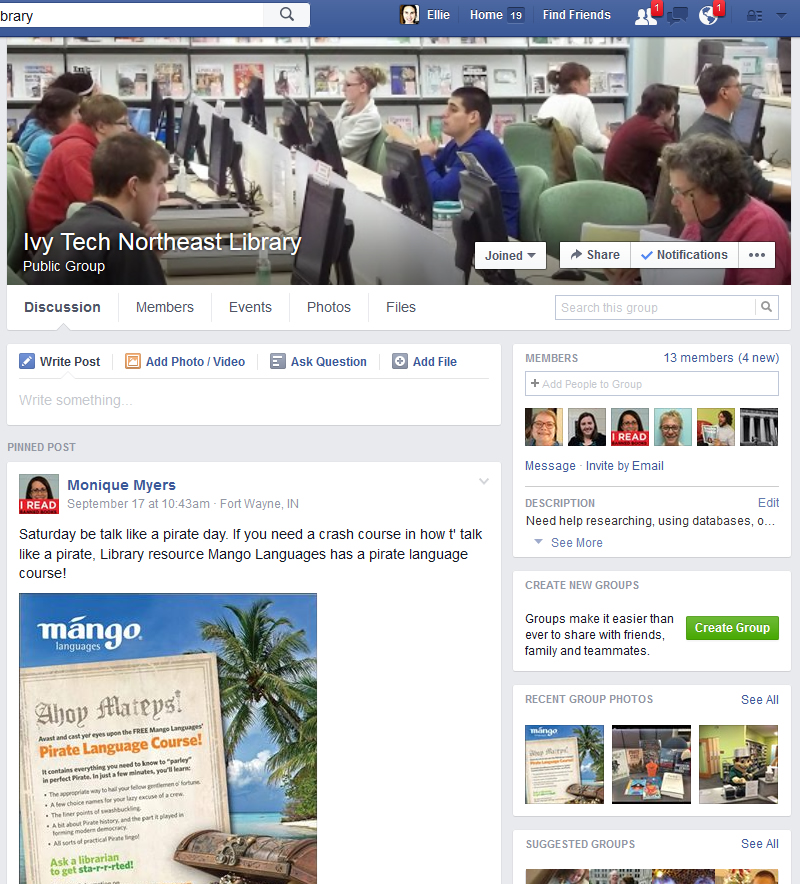
We have created a Facebook Group for the Library where students can get 1 on 1 interaction with Library Staff.
The Group, Ivy Tech Northeast Library, can be accessed at https://www.facebook.com/groups/northeastlibrary/

Our goal is to promote library events, provide library interactions with students, and to be a friendly presence online. Please go to the link above to join our Facebook Group.

Amazing new titles from Books 24×7

Books 24×7 is an online collection of books and videos tailored for use in the subjects of business, information technology, and engineering, as well as books that address healthy living and well-being. Check out these new titles recently added to their collection.

Continue reading Amazing new titles from Books 24×7

Time to give Mango Languages a try!

For those interested in learning another language, Mango Languages provides an excellent resource that is tremendously accessible to users of any learning level. Gone are the days of rewinding the same CD audio track, trying to follow along with a text simultaneously, or paying hundreds of dollars for interactive software with recurring subscription fees.

Mango Languages lets you choose from over 70 languages, allows you to learn on your time and at your own pace, and never loses track of what lessons you’ve already done. The intuitive, interactive layout lets you advance through stages of the lessons at will and useful functions such as repeating a word or phrase or displaying the literal translation in English are only a click away.

Each lesson includes placement tests to help you find which lesson to start on if you already have a background in a particular language. There are also lessons that are relevant to the culture associated with each language. If learning Mandarin Chinese, you may be interested in the lesson that discusses various ideas from Feng Shui. Learners of French will encounter a course on how to discuss the various wines and cheeses they may encounter when visiting France. Mango Languages also features some specialty languages that you may not encounter in other language learning programs such as Biblical Hebrew, Shakespearean English, and Pirate.

Mango also has foreign films that allow you to watch and view dialog in both your native language and the language you’re learning. You can also choose “Engage Mode” for films that break the film down into parts along with quizzes. Learning another language is never easy, but Mango Language has lowered that barrier to entry by making their program as accessible and user-friendly as possible. If you’ve ever meant to study another language, now is the time to give Mango Languages a try (by Library Clerk, David Winn.)

Books 24×7 – More than just books!

Books 24×7 is an online collection of books and videos tailored for use in the subjects of business, information technology, and engineering, as well as books that address healthy living and well-being, which are useful regardless of your field of study. Whether you’re looking for business management techniques, a coding guide for software design, or information about how civil engineers design with earthquakes in mind, Books 24×7 has a book with the information you need.

In addition to hosting ebooks, Books 24×7 provides convenient tools to help you manage the information you’ve found. With the option to place digital bookmarks, generate notes that are tied to a location in the book, and create folders to help you group texts you’ve used into various categories, Books 24×7 lets you manage your information and easily access it from anywhere.

On the business portion of the database, SkillSoft, the company behind Books 24×7, also hosts both live and archived webinars on various business-related topics, all of which can be accessed through the Books 24×7 main page.

Books 24×7’s video collection contains useful videos that cover a range of computer programs, such as the Microsoft Office Suite and Quickbooks, and the IT and Technical Video Collection contains hundreds of videos that guide the viewer through various systems with helpful audio-visual information. Make sure to browse through the Books 24×7 collection today! (by Library Clerk, David Winn)